Pangu has just released a jailbreak of iOS 9.3.3 for the iPhone, iPad, and iPod touch.
The jailbreak is for 64-bit devices only and is not fully untethered. It requires that you rerun a jailbreak app on your device if it is rebooted.
The latest Pangu jailbreak tool allows the user to jailbreak iOS devices on the demand. The user can easily jailbreak the iOS devices by running the click-to-jailbreak app, and also easily remove the jailbreak by rebooting the iOS devices. In other words, the user has full control to enable or disable the jailbreak functionality.
Currently, only the Windows version in Chinese has been released but the English version is "coming soon". and for the chinese version the link is here
Supported devices include: iPhone 5s, iPhone 6, iPhone 6 Plus, iPhone 6s, iPhone 6s Plus, iPhone SE, iPod touch 6G, iPad mini 2, iPad mini 3, iPad mini 4, iPad Air, iPad Air 2, iPad Pro.
Apple Music is here, and I think that we can all agree that it’s a fairly big deal in tech. Now that iOS 8.4 is officially jailbroken, it’s time to look at some of the tweaks available for Apple Music. In the following post, I outline 10 jailbreak tweaks that you may want to try on Apple’s revamped Music app.
Note: Keep in mind that since we just got the iOS 8.4 jailbreak, there may be conflicts when mixing together multiple tweaks.
Also, some of these tweaks still haven’t been officially updated for iOS 8.3 or iOS 8.4, yet they still work very well. Other tweaks may have a bug or two, but are otherwise usable. As the jailbreak matures and more developers update their tweaks, you’ll see increased compatibility across the spectrum. Okay, on to the tweaks!
MusicRotate
This is a new Cydia tweak especially designed for the revamped Apple Music app. It allows users to enable landscape orientation on the iPhone. – Free on Cydia
Fuse
Displays both the Lock screen clock and music controls at the same time. – Free on Cydia
MiniPlayer
Adds an iTunes-inspired mini player to the Lock screen. – $1.99 on Cydia
EqualizerEverywhere
Looking to tailor the sound of a specific type or genre of music? Want more fine-grained control over the music listening experience? EqualizerEverywhere provides you with equalizer presets and lets you adjust various bands to create your own sound. – $3.00 on Cydia
Muswitch
Add music controls above the iOS App Switcher. – Free on Cydia
Spectral
Lends more character to the Lock screen by adding blurred album art as a wallpaper. – Free on Cydia
Aspectus
Adds music controls to the Reachability view. – $0.99 on Cydia
Helius 2
Revamped stylized Lock screen media controls. – $0.99 on Cydia
ColorFlow
Changes the color of the Lock screen and its assets based on the now playing song’s album artwork. Really great when playing a playlist containing various album covers. – $1.99 on Cydia
Flex 2
It’s only been a couple of days, and there are already two dedicated Apple Music Flex patches available. Flex lets you quickly and easily patch different aspects of iOS. Users can create their own patches from scratch, or as the majority enjoy doing, download patches from others. The two Flex patches I used allowed you to hide the recently played section and to hide the dismiss button for the now playing interface. – $3.99 on Cydia
Of course, this is only the very beginning of what’s possible with the right jailbreak tweak. Apple Music, and its feature-set will no doubt open up the doors to more innovation in the coming weeks and months.
What’s your favorite jailbreak tweak for the Apple Music app thus far?
In an interesting move, the folks over at TaiG have released a new version of their iOS 8.4 jailbreak tool for Windows, but have labeled it as a beta. Version 2.3.1 beta incorporates the latest version of Cydia, version 1.1.20, and that’s about all.
According to the change log, no other changes were implemented into the TaiG tool outside of the Cydia update. For such a small change, it’s weird that they’ve labeled it as being a beta, but maybe this will become a new trend going forward until they have enough successful testers to deem it a stable release.
TaiG isn’t recommending that users use the beta version, and instead are pointing the public to its most recent public version of the jailbreak tool—version 2.3.0.
Here is what TaiG is saying about the beta tool:
1. V2.3.1 integrates the latest Cydia 1.1.20.
2. V2.3.1 is a beta version. If not necessary, you can use the previous version to jailbreak.
Does this mean that we’ll begin seeing future TaiG releases, even major one for new firmware builds, come out as beta releases initially? That’s yet to be seen, but with this latest revelation, it’s not out of the realm of possibilities.
Telltale Games, the makers of rather popular cinematic cross-platform games such as The Walking Dead, Game of Thrones and The Wolf Among Us, announced at E3 a brand new miniseries for the iPhone and iPad called The Walking Dead: Michonne.
Developed by Skybound and framed as the next installment in The Walking Dead: A Telltale Games Series, the game takes place between issues #126 and #139 in the comics series and features the particularly popular Michonne character.
Breaking away from its established format of five to six episodes, this one will consist of just three mini episodes. The basic premise tasks you with exploring what took Michonne away from Rick, Ezekiel and the rest of her trusted group, and what brought her back.
“In many ways, Michonne herself is a reflection of the world of The Walking Dead,” explain Robert Kirkman, creator of The Walking Dead, and Telltale’s own Kevin Bruner.
In bringing the world of the comic and Telltale’s storytelling closer together, you’ll experience Michonne’s challenges first-hand, with your choices shaping her journey.
“She is brutal and cold on the outside, but deep beneath what is broken, she remains hopeful, trying to claw her way out of the darkness that surrounds her.”
The game is set to premier this fall on Mac and Windows PCs, iOS, Android, PlayStation 4, PlayStation 3, Xbox One and Xbox 360.
You’ll need at least the first episode of The Walking Dead: Season Two, currently a free download, in order to play The Walking Dead: Michonne.
“We’ll have more info on that for you closer to the premiere date,” developers said.
Circulate is a new jailbreak tweak that brings new animation styles to the stock Clock app icon. Circulate is a great looking tweak that comes bundled with two themes out of the box. The themes, which consist of a circular theme and a bar-graph looking theme, allow you to measure time in two unique ways.
After installing Circulate, you can configure its look via the preferences in the stock Settings app. I was highly impressed by how responsive the tweak’s settings were, and how none of the changes required a respring.
Both the Concentric Circles theme and the Rising Bars theme can be color customized, and each customization changes dynamically based on the current theme selected. For example, with the Rising Bars theme, you are limited to changing the bar color and bar background color for the seconds, minutes, and hours bars. With the Concentric Circles theme, the customization options change to include things like ring width and radius.
I also really appreciate the inclusion of a “reset settings to default” option. I can’t tell you how many developers omit such a simple, yet vital option, but it’s included with Circulate.
Circulate is available for $0.99 on Cydia’s BigBoss repo, and I deem it to be a great value. It’s a unique tweak that allows you to theme the stock Clock app icon with two really cool built-in themes. Here’s hoping that we will see more theme packs in the future.
As of today, brute-forcing your way into your ex’s Apple ID or iCloud account by way of dictionary-based attacks is no longer a viable option.
As reported by James Cook of Business Insider, Apple’s reportedly patched a vulnerability in its iCloud service that determined hackers were able to exploit in order to hack into your Apple ID account.
Even though Apple IDs that employ weak passwords and don’t use Apple’s vaunted two-step verification feature were at greatest risk, we’re most certainly glad that Apple’s moved so swiftly to increase online security of its users.
The information came via none other than Pr0x13, a guy who created a hacking tool called “iDict” which was released on New Year’s Day.
Long story short, it managed to bypass Apple’s account lockout restrictions and secondary authentication on any Apple ID or iCloud account.
You may recall that Apple recently tightened up iCloud security by locking an Apple ID after five unsuccessful attempts to enter the password. That being said, ‘iDict’ tool in its brief history used to rely on a different method to fool Apple’s servers into believing a real person was trying to log in to iCloud.
Put simply, iDict pretended to be a legitimate iPhone device trying to log in to iCloud.com. The online service used brute-force attacks on accounts with weak passwords by tapping a dictionary list containing more than 500 commonly used words, although there was nothing preventing determined hackers from using a much larger word list than the one posted on GitHub.
That doesn’t mean we should all breathe a collective sigh of relief because hackers are always searching for exploits and Apple’s online services have yet to be fully consolidated to discourage, if not prevent, these types of brute-force attacks.
Another thing to factor in: ill-minded folks who may use tools like iDict could cause your iCloud account to be locked for security reasons, to prevent hackers from gaining access in the first place.
Same caveats apply here: your password should not contain common terms such as pet names and other easily identifiable words that can be harvested by means of social engineering.
Moreover, you should enable two-step verification for your Apple ID and preferable use a throwaway email address as your Apple ID user name or a private email address which hasn’t been shared online.
And if you do protect your Apple ID with two-step verification, please store your Recovery Key in a safe place because misplacing it means losing access to your Apple ID for good in case it gets locked due to brute-force attempts on your password.
The holiday season is officially over and the New Year has begun. Let 2015 begin. I’ve had my fill of nog and libations and will be spending the first quarter of the year trying to work off all that extra cookie weight I’ve gained.
If you are looking for some apps to help you keep your New Year’s Resolution, check out our list of apps to start the New Year off right. If you are just looking for something to fill your iPhone, iPad, or iPod touch up, check out our spotlight of apps and games this week.
If keeping a budget is on your list of resolutions for this year, then SilverWiz has the app for you. This personal finance tracker keeps all of your banking, bills, income, and expenses in one convenient location. You can create and set budgets for your personal monthly finances with daily allowances and remaining days. Get notifications when you are dangerously close to going over budget. See where you spend money the most with an easy-to-read graph. Track your various expense accounts in one place instead of multiple apps. For a monthly fee, you can even connect your online banking to MoneyWiz and see transactions automatically. This app is available for $4.99.
There are so many different types of racing games in the App Store that it is hard to keep up. This one stands out in the crowd because it puts you in the driver’s seat of a World Rally car. You can play out your career in the Season section, jump into a Quick Race for a less in-depth game, challenge opponents in Super Special Stages, and race random drivers in the Daily Race. Each win earns you Speed Points, which you can use to repair damage and unlock new sections of the game. Race your rally car across snow-covered mountains, through forests, and along dusty roads. This game is available for $3.99.
Fans of the Bionicle series will be happy to see that LEGO has launched a new title staring the mechanical super beings. Players take control of one of six Toa heroes, Tahu, Kopaka, Onua, Pohatu, or Lewa and fight hordes of enemies across vast battlefields. It’s not just about fighting, though. Players must also track down the lost Masks of Power by traveling through various elemental regions. You’ll collect various parts of the Masks. There are 74 arenas throughout Okoto. You can also hone your fighting skills in endless mode, where you must stay alive for as long as possible. This game is available for free.
This app is actually not that new, but I only discovered it earlier this week and I think it is worth mentioning because of its cool features. With MultiCam, you can change the focus of objects after you’ve taken the picture. It works best with one object at very close range and the other further back. Set the focus points and exposure range and take a series of pictures all at once. Then, in the Editor, slide the focus bar from one side to the other to see the different objects become clear or blurred. It is like having a truncated version of a Lytro right on your iOS device. This app is available for $1.99.
I really am a sucker for the widgets. I also love knowing about the phases of the moon. How many times have you looked into the night sky and been in awe of the moon? This app gives detailed information on the moon’s current phase, plus more information about the date and time of upcoming phases. You can also read up on the history of names of each month’s full moon (I didn’t even know they had names). The Notification Center extension puts a pared down version of that information right on your Lock screen so you’ll always know the moon’s phase and what to expect in the future. This app is available for $0.99.
Folderix is an upcoming jailbreak tweak that lets you quickly swipe between all of the folders that you have on your iPhone without exiting the folder interface. If you have lots of folders created on your device, this is one of the fastest ways to navigate between them.
The tweak, which will presumably touch down on Cydia’s BigBoss repo for a confirmed $0.99 asking price, features several options to configure in its preferences as well. Inside of the neatly-designed prefs, you’ll find a kill-switch, respring button, and a Configuration section. I’ve reviewed some of this developer’s (Smartviper E75) tweaks before, and I can say for sure that this is the best looking implementation that I’ve seen from him yet.
Inside of the Configuration section, you’ll find several options to toggle folder animation, pinch to close, hide page dots, close folders on launching an app, and a folder colorization option. On their own, none of these settings are really a huge deal, especially when compared to an all encompassing tweak like Springtomize 3. But coupled with the ability to quickly swipe between folders directly from the folder interface, and things get a bit more interesting. I will say that throughout my brief usage with Folderix, I encountered a few graphical glitches with page dots and with folder background colors. I also experienced periods of time where the swiping between folders seemingly quit for no reason. Hopefully, there’s still time for some of these issues to be cleaned up before the tweak launches on Cydia publicly. There’s certainly nothing mind-blowing about Folderix, but it’s a generally well-designed tweak with a purpose. What do you think about Folderix? Does its primary function appeal to you? Sound off down below in the comments with your thoughts and opinions
adies and gentlemen, boys and girls. It’s the end of 2014, and that can only mean one thing: it’s time to compile our list of the best jailbreak tweaks of 2014.
To be eligible to make this list, the jailbreak tweak or app must have been released in 2014, it can’t be an update or a sequel to another tweak released prior to 2014, it must work on the latest iOS 8 jailbreak, and it must be compatible with the iPhone 6 and 6 Plus. That means that tweaks like Auxo 3, which would have otherwise made the list, are not included. I know those are some pretty tough regulations, but by doing it this way, we ensure that we have an original list full of fresh and new jailbreak apps and tweaks that you can use today.
Okay, enough talk. Let’s get into our list of the best jailbreak releases of 2014. Will your favorite tweak make the list?
#15: PM, really?
Developed by Jay Zuerndorfer, PM, really? is an extremely practical jailbreak tweak that can help prevent you from making the catastrophic mistake of setting your alarm for the evening instead of the morning. PM, really? prompts you for a confirmation whenever you try to create an alarm for PM instead of AM.
I felt this tweak deserved to be on the list because it solves a real issue. It doesn’t happen often, but I’ve personally experienced how it feels to wake up late and realize that my alarm never sounded due to being set to PM instead of AM. I also like this tweak because it’s completely original, and doesn’t mimic any other tweaks on Cydia. Good job, Jay.
Developer: Jay Zuerndorfer
Price: Free
Repo: BigBoss
#14: LockGlyph
evilgoldfish’s LockGlyph is a jailbreak tweak that spices up the experience of unlocking your iPhone. It does so by adding the Apple Pay confirmation animation and sound to the Lock screen. It’s a stylish tweak that adds some flair to the Lock screen, but I’ve been most impressed by evilgoldfish’s diligence when it comes to adding new features to LockGlyph, taking requests, and keeping it compatible with the latest firmware.
Developer: evilgoldfish
Price: Free
Repo: BigBoss
#13: WeatherBoard
If you’re looking for a jailbreak tweak to show off to your friends, then look no further than Allan Kerr’s WeatherBoard. This is a jailbreak tweak that brings animated wallpapers to your iPhone’s Home screen. These wallpapers reflect current conditions in your area and will change as the weather changes outside. In all, there are over 80 animated weather wallpapers to choose from.
If Aaron Ash’s Barrel jailbreak tweak is one of the best tweaks to show off a jailbroken iPhone, then it stands to reason that Cylinder, a tweak heavily inspired by Barrel and released this year for free, deserves to be on this list. Reed Weichler’s Cylinder brings an astonishing 35,184,372,088,832 different Home screen icon animations to the table, and you can also create your own animations using handy Lua scripts. Yes, the Barrel inspiration is undeniable, but Cylinder is impressive enough to stand on its own.
One of the most annoying things about the stock Music app is that you can’t queue up music when a song is already playing. Aria solves this problem by bringing “Play Next” and “Play Last” capability to the Music app. But that’s not all. Aria provides users with an interesting new grid view among other niceties to spice up the aging Music app.
The ability to use HeySiri without being tethered to a power connection can make all of the difference when your hands are full and you can’t interface directly with the iPhone’s Home screen. UntetheredHeySiri is the first jailbreak tweak that allows you to do such a thing, and it integrates perfectly with the stock Siri preferences in the Settings app.
Virtual Home allows you to emulate a press of the Home button using nothing more than the Touch ID sensor. With Virtual Home, you can give your Home button a break and simply tap on the Touch ID sensor to simulate Home button presses. It was the very first Touch ID jailbreak tweak to appear on Cydia and it’s still receiving support today.
Note: While technically a sequel, we felt this tweak deserved to be included since its predecessor was created in 2014. It wouldn’t be fair to punish the developer for keeping their tweak, which debuted this year, updated for iOS 8.
Developer: moeseth
Price: $1.49
Repo: BigBoss
#8: Aeternum
There are plenty of Apple Watch UI concepts available, but Aeternum stands above the rest as being the best. Aeternum has been updated numerous times, it’s stable, fully theme-able, and battery friendly. If you want to know what the Apple Watch UI looks like in person, then Aeternum is your go-to tweak.
Note: This developer has multiple tweak of the year nominations. The other is iTouchSecure.
There are lots and lots of screenshot jailbreak tweaks on the Cydia store, but none of them hold a candle to Almpoum, a tweak that is simply a must-have for heavy screenshot takers. Almpoum allows you to upload screenshots to Imgur, save screenshots to specific albums, and quickly share a screenshot via AirDrop or any other utility appearing in the iOS 8 share sheet. It makes my job a whole lot easier.
Ryan Petrich’s Little Brother brings scaling options to jailbroken iOS devices. This means that you can bring iPhone 6 scaling to a lesser device like the iPhone 5s. This results in increased real estate, two-up landscape mode in supported apps, Home screen landscape mode, and even Lock screen landscape support.
Note: This developer has multiple tweak of the year nominations. The other is BioLockdown.
If you’re a gamer, then it’s easy to see the value of Controllers for All. Here is a jailbreak tweak that makes it possible to use your Wii U Pro Controller, PS3, and PS4 controllers with any game that supports Apple’s MFi controller initiative. There simply is no excuse not to have Controllers for All if you’re the least bit interested in gaming on iOS.
Developer: Ori Kadosh
Price: $1.99
Repo: ModMyi
#4: iTouchSecure for iOS 8
Now that users can use 1Password directly within Safari thanks to iOS 8’s extensions, it’s made life a whole lot easier. No longer do we have to switch between apps to copy passwords from our password management app of choice. But iOS still has some opportunities for improvement on this front, especially when it comes to using apps that feature no built in 1Password support. Enter iTouchSecure, a jailbreak tweak that allows you to save passwords for your favorite apps directly in the iOS keychain. That means that you can auto login to your favorite banking app using just your Touch ID fingerprint. It’s a time-saver if you manage your bank account using a banking app.
Note: While technically a sequel, we felt this tweak deserved to be included since its predecessor was created in 2014. It wouldn’t be fair to punish the developer for keeping their tweak, which debuted this year, updated for iOS 8.
Note: This developer has multiple tweak of the year nominations. The other is Aeternum.
Got two Instagram accounts? If so, you can’t normally use both on the same iOS device without logging out of one, and logging in with another. That, of course, is a real pain in the butt. Slices solves that issue. It allows you to log in to multiple accounts on the same app, even when said app doesn’t support multiple users. I use it to manage my personal and work Instagram accounts, and it performs perfectly.
Developer: Steve Hetelekides
Price: $1.99
Repo: BigBoss
#2: BioLockdown
Yet another Ryan Petrich created jailbreak tweak shows up on our 2014 list. BioLockdown is an excellent tweak that lets you passcode protect individual apps, settings, and even Control Center switches. The cool thing about BioLockdown is that it works with the Touch ID fingerprint sensor, providing you with excellent security for your most sensitive apps and settings. Once you use BioLockdown, you’ll be presented with a ton of different settings to customize and configure the tweak to your liking.
Note: This developer has multiple tweak of the year nominations. The other is LittleBrother.
#1: iMacJunkie's Jailbreak Tweak of the Year: Tage
Remember Zephyr? Well, Zephyr’s dead, but Tage is the closest thing we’ve seen like Zephyr since, well, Zephyr. Tage allows you to close apps and invoke the App Switcher using nothing but gestures. It brings the iPad-inspired Multitasking gestures to the iPhone, which lets you to switch between apps using swipes from the edge of the screen, and it has a quick switcher, which brings the ability to quickly between apps via the App Switcher using a single gesture! In fact, the Quick Switcher found in Tage might not be as pretty as the one found in Auxo 3, but I find it to be more responsive.
Tage is a very robust jailbreak tweak that makes navigating your iPhone with gestures easy and fun to use, and it features a ton of options and settings to configure it just to your individual liking. For that reason, it is without a doubt our jailbreak tweak or 2014.
Congratulations to Ryan Petrich and SpiritofLogic for picking up two Tweak of the Year award honors, and congratulations to Ma Jun for bringing home the award for best jailbreak tweak of 2014.
Thank you for reading and watching this year’s edition of the best jailbreak tweaks! Please use the comment section below to leave a remark, an opinion, or to congratulate your favorite developers.
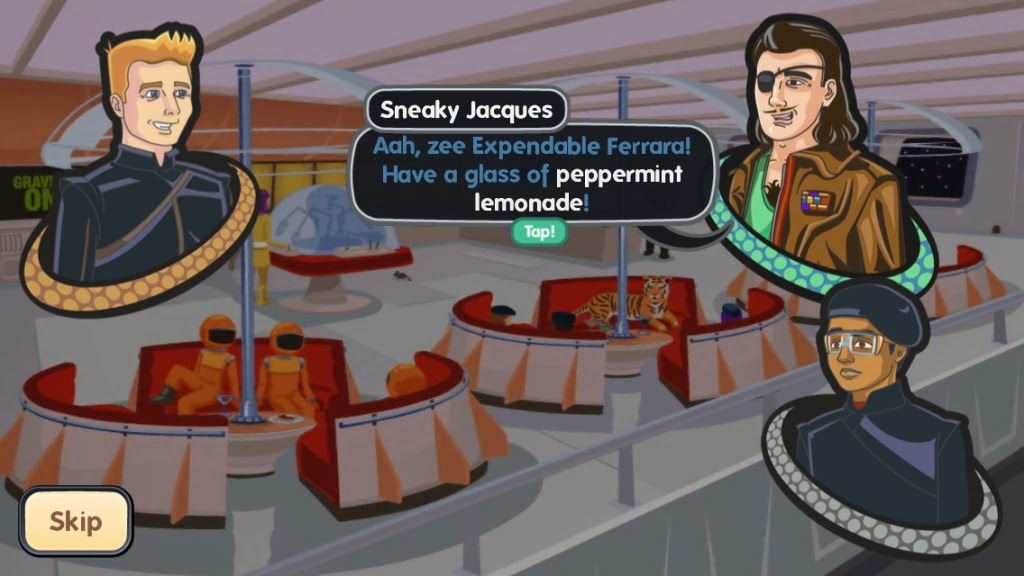
In August, a fun little space shooter launched in the iOS App Store under Bulky Pix, but had since been pulled due to ownership rights issues. The game’s original developer, Philipp Seifried, has been able to re-release the title under his own name. In order to make the transition into his ownership easier, Seifried has made Ace Ferrara & the Dino Menace available in the App Store for free until Jan. 2. You can now take on the entire dino invasion on your own. This space shooter features a young upstart by the name of Ace. As this new recruit, you will learn how to fly, target, and attack with your ship. Then, you’ll be sent out on about two-dozen missions that involve reaching waypoints, fighting dastardly dinosaurs, and protecting humanity.
Using a sideways slider on the left side of the screen, players turn the ship to the left or right. A hard turn will send you into a barrel roll. The acceleration mechanism is on the right side of the screen, but only appears when you actually touch the screen. You can speed up or slow down using the accelerator to get to your destination. If you are traveling a long distance, you can speed up time using the fast-forward button on the left side of the screen. You can also get a quick jump by tapping the booster jets. While time is sped up, pay attention to where your ship is headed. It doesn’t take long to get off track. Once in combat, you can select a target by getting it in your sights and then tapping the target icon. This will help you track your enemy, but won’t guarantee a hit. You’ll have to maneuver your ship to help aim. When the base weapon is triggered, it will be set on auto fire. Tap it once to activate it. Tap it again to switch it off.
In some missions, you’ll have to scan ships before destroying them. Fly near a ship to scan its data, but don’t attack until you’ve received the download. Then, fire away. There are 25 different missions, each with different tasks to complete, like destroying a space station, maneuvering through asteroid fields, and more. The game also features a particularly clever storyline. If you are the type to jump in and start shooting, no questions asked, you could skip the story. However, I highly recommend going into the Recreation Deck to follow the exploits of Ace, his buddies, the cyborg cats, and an entertaining cast of characters
Ace Ferrara & the Dino Menace is available on the iPhone, iPad, and iPod touch for free until Jan. 2. After that, it will go back to the regular price of $2.99. Download it in the App Store today. What do you think of this space shooter? Let us know in the comments below